
Скачать BootRacer – Трекер времени загрузки, Анализатор запуска компьютера, Монитор производительности системы
Обзор
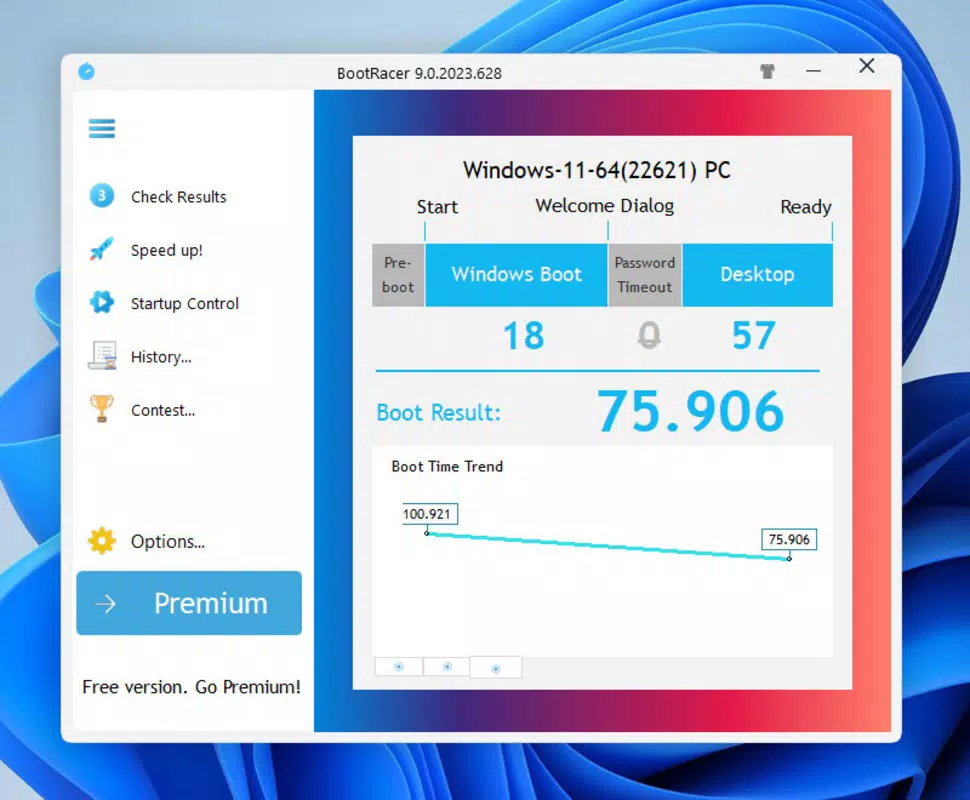
BootRacer — это лёгкое, ориентированное на продуктивность приложение, разработанное для измерения и анализа времени, необходимого компьютеру с Windows для загрузки. Его основная функция — предоставлять пользователям точные данные в реальном времени о длительности запуска, помогая оценивать производительность системы и выявлять потенциальные узкие места. Это приложение предназначено для людей, желающих оптимизировать эффективность своего ПК, включая обычных пользователей, удалённых работников и техно‑энтузиастов, стремящихся поддерживать максимальную отзывчивость системы. Предоставляя чёткую метрику скорости старта, BootRacer даёт возможность пользователям оценить, работает ли их система на оптимальном уровне, или требуются корректировки — например, отключение ненужных программ автозапуска или обновление аппаратного обеспечения.
Разработчик — Райан Дж. Будро, создал утилиту, решающую распространённую проблему персональных компьютеров: медленную загрузку. Хотя разработчик не предоставил дополнительных технических деталей об архитектуре приложения или его истории разработки, дизайн программы отражает приверженность простоте и точности. Реальные сценарии использования включают мониторинг влияния системных обновлений, оценку производительности нового оборудования или отслеживание прогресса после очистки программного обеспечения. В более широком экосистеме приложений BootRacer занимает нишу минималистичных, без излишеств инструментов, предоставляющих измеримые инсайты без необходимости в экспертных знаниях. Его присутствие подчёркивает растущий спрос на прозрачные, ориентированные на пользователя утилиты, которые улучшают цифровой опыт через осознанность, основанную на данных.
Ключевые функции и возможности
- User-Friendly Interface: BootRacer features a clean, intuitive layout that requires no prior technical knowledge. The minimal design ensures users can start measuring boot time immediately, without navigating complex menus or settings.
- Accurate Timing: The app delivers precise measurements of startup duration, capturing time from power-on to full system readiness. This accuracy enables users to track changes over time and evaluate the effectiveness of system optimizations.
- Performance Assessment: By providing a consistent benchmark for boot speed, BootRacer allows users to assess their PC’s performance relative to ideal standards. This helps inform decisions about software management, hardware upgrades, or system maintenance.
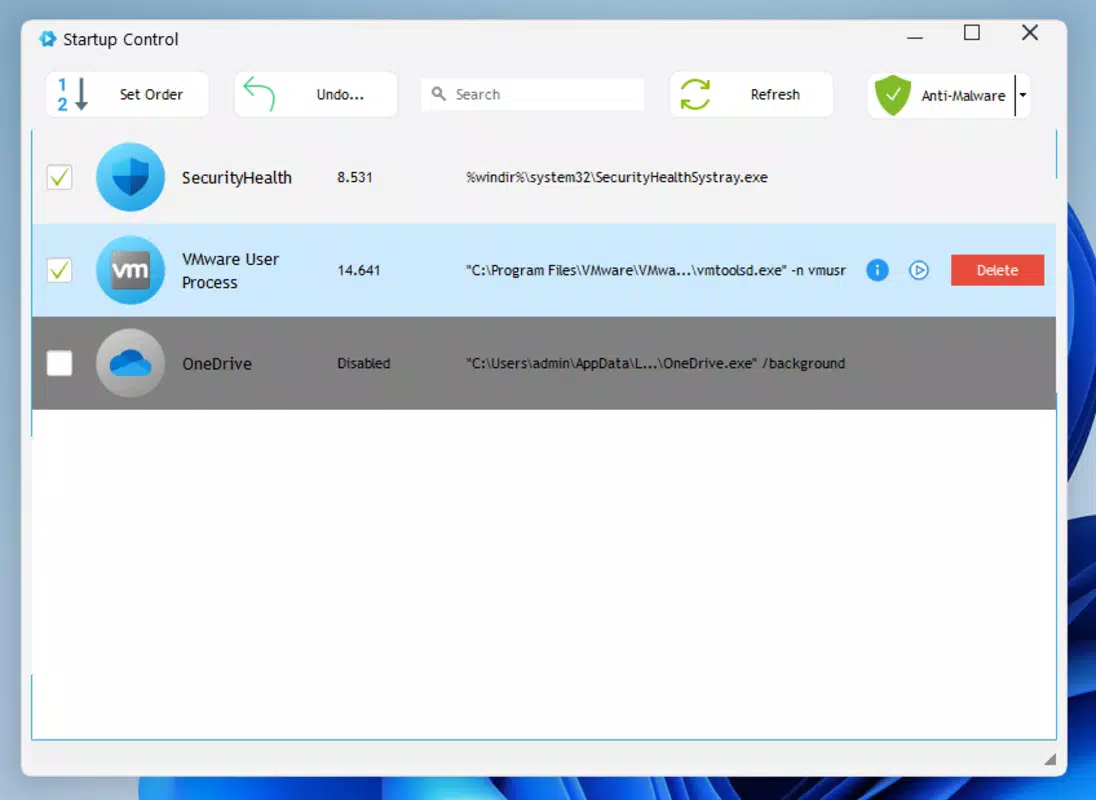
- Simple Boot Management: The tool offers actionable insights by highlighting prolonged boot times, prompting users to investigate startup programs, disk health, or system configurations that may be contributing to delays.
- Challenging the Clock: BootRacer introduces a gamified element by encouraging users to reduce their boot time through tweaks and improvements. This feature transforms a technical task into a personal challenge, increasing user engagement and motivation.
For example, a user who recently installed new software might run BootRacer before and after to see if performance has degraded. Another user could use it to verify that a disk defragmentation or RAM upgrade has had a measurable impact. The app’s straightforward functionality ensures that users gain meaningful insights without needing to interpret complex technical data.
Интерфейс, UX и производительность
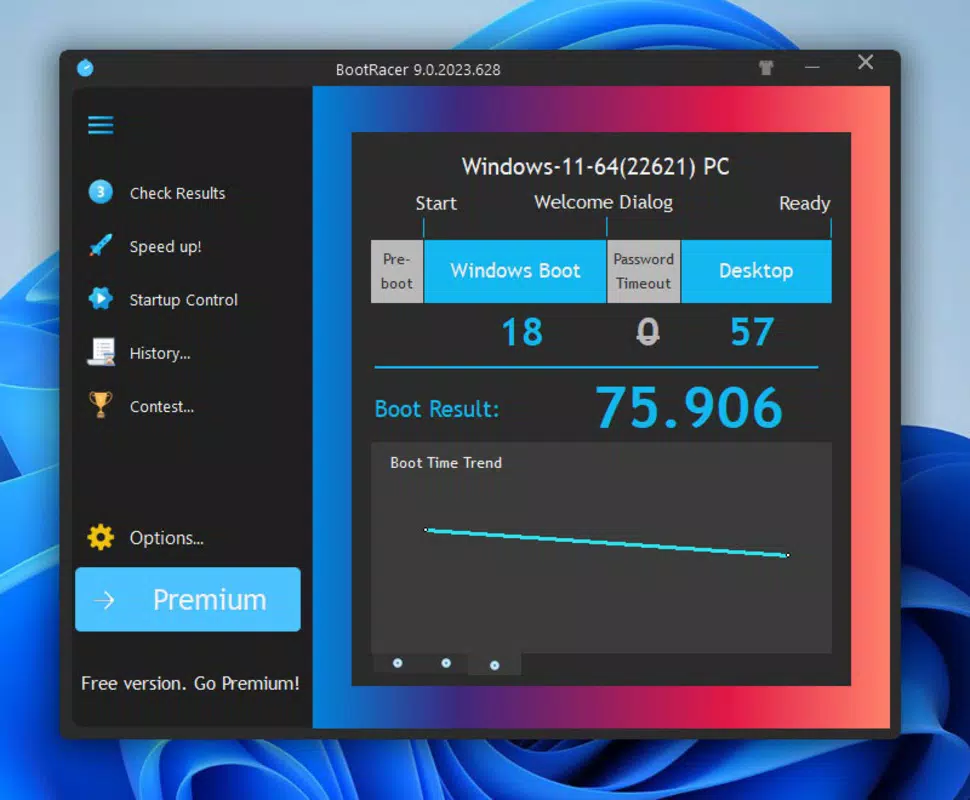
BootRacer’s interface is designed with clarity and simplicity in mind. The layout is uncluttered, focusing on a single primary function: displaying boot time results. Navigation is intuitive, with minimal interaction required to initiate and view measurements. The visual style is functional rather than decorative, using clear typography and contrasting colors to emphasize key metrics. This approach reduces cognitive load, making the app accessible even to users with limited technical experience.
Although the developer did not list formal performance metrics, the app’s small file size of 2.1 MB suggests a lightweight footprint that should not strain system resources. The application is expected to launch quickly and operate smoothly on a range of Windows devices, from entry-level machines to high-performance workstations. Responsiveness is likely consistent, given the app’s focused purpose and minimal feature set. Stability is inferred from its straightforward design, though no crash reports or error logs were provided. Users can expect reliable operation during measurement cycles, with no noticeable lag or delay in data capture.
Совместимость платформы и технические требования
BootRacer is designed exclusively for the Windows platform. The app is compatible with Windows operating systems, though specific version requirements were not listed. The file size is 2.1 MB, indicating a lightweight installation that should not consume significant storage space.
The application is available at no cost, making it accessible to a broad audience. The developer did not specify minimum OS requirements or hardware capabilities, so users should ensure their system meets general Windows compatibility standards. For optimal performance, it is recommended to run the app on a device with standard Windows functionality and sufficient system resources to support background monitoring.
Плюсы и минусы
Плюсы
- Лёгкое и быстро загружаемое приложение (2.1 МБ)
- Простой, интуитивный интерфейс, подходящий для нетехнических пользователей
- Обеспечивает точные и последовательные измерения времени загрузки
- Бесплатно для загрузки и использования, без скрытых расходов
- Помогает пользователям отслеживать производительность системы со временем
Минусы
- Платформа ограничена Windows; нет поддержки macOS или Linux
- Разработчик не раскрывал конкретные требования к версиям ОС
- Ограничено только отслеживанием времени загрузки — нет дополнительных системных диагностик
- Отсутствует синхронизация в облаке и хранение исторических данных между устройствами
- Минимальные возможности настройки параметров измерения
Часто задаваемые вопросы
Безопасно ли скачивать и устанавливать BootRacer?
Yes, BootRacer is a free utility developed by Ryan J. Boudreaux. It does not require administrator privileges to run and operates without installing additional software or drivers. The app is designed to be secure and transparent in its function.
Могу ли я использовать BootRacer на старых версиях Windows?
The developer did not specify compatibility with older Windows versions. While the app may function on legacy systems, users are advised to test it on their specific device to confirm stability and performance.
Собирает ли BootRacer данные пользователей?
There is no public information indicating that BootRacer collects personal or system data. The app operates locally and does not transmit results to external servers.
Как часто следует запускать BootRacer?
Users can run BootRacer after system updates, software installations, or hardware changes to assess their impact on boot time. It is recommended to measure startup speed periodically to track long-term performance trends.
Есть ли мобильная версия BootRacer?
BootRacer is currently designed only for Windows desktop and laptop systems. There is no mobile version available for Android or iOS devices.
Заключительные мысли
BootRacer delivers a focused, reliable solution for users who want to measure and improve their PC’s startup speed. Its minimalist design, accurate timing, and straightforward functionality make it an ideal tool for anyone seeking to take control of their system’s performance. While it lacks advanced diagnostic features or cross-platform support, its niche purpose is executed with precision.
The app is particularly valuable for users who value transparency, efficiency, and measurable results. For those looking to optimize their computing experience with a simple, free tool, BootRacer offers clear value. Download BootRacer now.


